Let’s be real, online team building activities can be boring. But we’re here to make sure they’re not.
These structured virtual events help remote and distributed teams connect. You’re not just in the same Zoom while everyone secretly checks Slack or their Instagram. Or at least, you’re not supposed to be.
So, what makes the difference between an event people talk about on Monday and one where someone definitely faked a Wi-Fi outage to leave early? These 10 tips (pulled from 1,000+ events hosted by Wavy) are how you make sure your event lands in the former category.
What are online team building activities?#
Quick refresher and a note on connection: online team building activities are structured virtual experiences designed to help distributed and remote teams build real relationships. Some common formats include virtual trivia, cooking classes, cocktail making, escape rooms, and facilitated icebreaker games. You can run all these over platforms like Zoom, Microsoft Teams, Google Teams, and more.
The keyword here is structured. Dropping 40 people into a video call with no agenda and calling it a team event is not real team building. From our experience, the single biggest driver of a virtual event feeling "awkward" is lack of structure. Not the format, not the platform, not your team. Structure.
1. Know your capacity#
How many people should attend a virtual team building event?
Before you do anything else, figure out your headcount. It determines every other decision.
Here's a simple breakdown:
Under 20 people: You have full flexibility. Most formats work. One host can manage the energy. This is the easiest group to run a great event for.
20–100 people: You need structure. Breakout rooms stop being optional and start being essential. Team-based formats (trivia, group challenges, competitions) work way better than "let's go around and share one thing." A skilled host is non-negotiable.
100+ people: This is an all-hands, not a hang. Prioritize broadcast-style programming with built-in participation moments like polls, live Q&A, chat prompts, and reactions. If real connection is the goal, split into smaller sub-events.
Most platforms cap breakout rooms at 50 simultaneous rooms. Plan your group splits before you accidentally herd 200 people into one Zoom with nowhere to go.
🌊 Wavy Tip: For groups over 15, team-based formats do well consistently. Shared pressure = more participation.
2. Decide how you'll plan it#
Will you DIY or work with a partner?
This is the question most organizers skip. Then they spend three weeks regretting it.
DIY makes sense when:
Your group is under 20 people
You have an internal host who is genuinely good at energy management. Not just willing. Good.
It's a casual Friday hang, not a milestone moment
Budget is zero or quite small
A partner makes sense when:
You're running an event for 50+ people
It's tied to onboarding, an offsite, a team or company milestone
You don't want to be both the organizer AND the vibe guardian on the day
You want something people haven't seen before (more on why novelty is everything in Tip #6)
It's okay to admit you don't want to host your own team event! That's not a failure. You know your limits.
🌊 Wavy Tip: Wavy's Marketplace has 400+ facilitated virtual and hybrid experiences, ranging from games to cooking, wellness sessions, leadership workshops, and more. We handle all the logistics, facilitation, and awkward-silence prevention end-to-end. You pick the experience, set the date, and show up.
3. Prep#
How far in advance should you plan a virtual team event?
Timeline mistakes are the silent killers of planning online team building activities. Here's the actual breakdown:
Event size | Minimum lead time | Why |
Under 20 people | 2 weeks | Calendar coordination + basic comms |
20–100 people | 4–6 weeks | Platform setup, facilitator booking, pre-event comms |
100+ people | 6–8 weeks | Tech testing, run-of-show, internal stakeholder alignment |
Any event with a physical kit | Add 2–3 weeks | Shipping takes longer than you think! |
As you can see, the more people, the more lead time the event requires. If physical kits are part of the package, you have to account for that.
Physical kits can be a pain. If your virtual cooking class, cocktail making session, or wellness event involves sending anything to participants' homes, domestic shipping needs 5–7 business days minimum. International? Budget three weeks and make peace with the complexities that come with customs, duty, and tracking issues.
On top of that, what if you need kits for 60 people? One week of lead time for a 60-person event is not enough. It has never been enough, and will never be enough.
🌊 Wavy Tip: The most common reason virtual events underperform has nothing to do with the format. It's insufficient lead time and engagement (marketing, reminders) cascading into low attendance, bad tech, and rushed communications.
4. Communicate expectations#
How do you communicate expectations to participants?
If your calendar invite says "Team Fun Event - 3pm" with zero context, expect a wave of "is this mandatory?" Slack DMs and a 50% no-show rate. Pre-event communication is important. It’s how you create hype and camaraderie. We made you a checklist so you don’t have to create that process from scratch.
Your pre-event communication checklist:
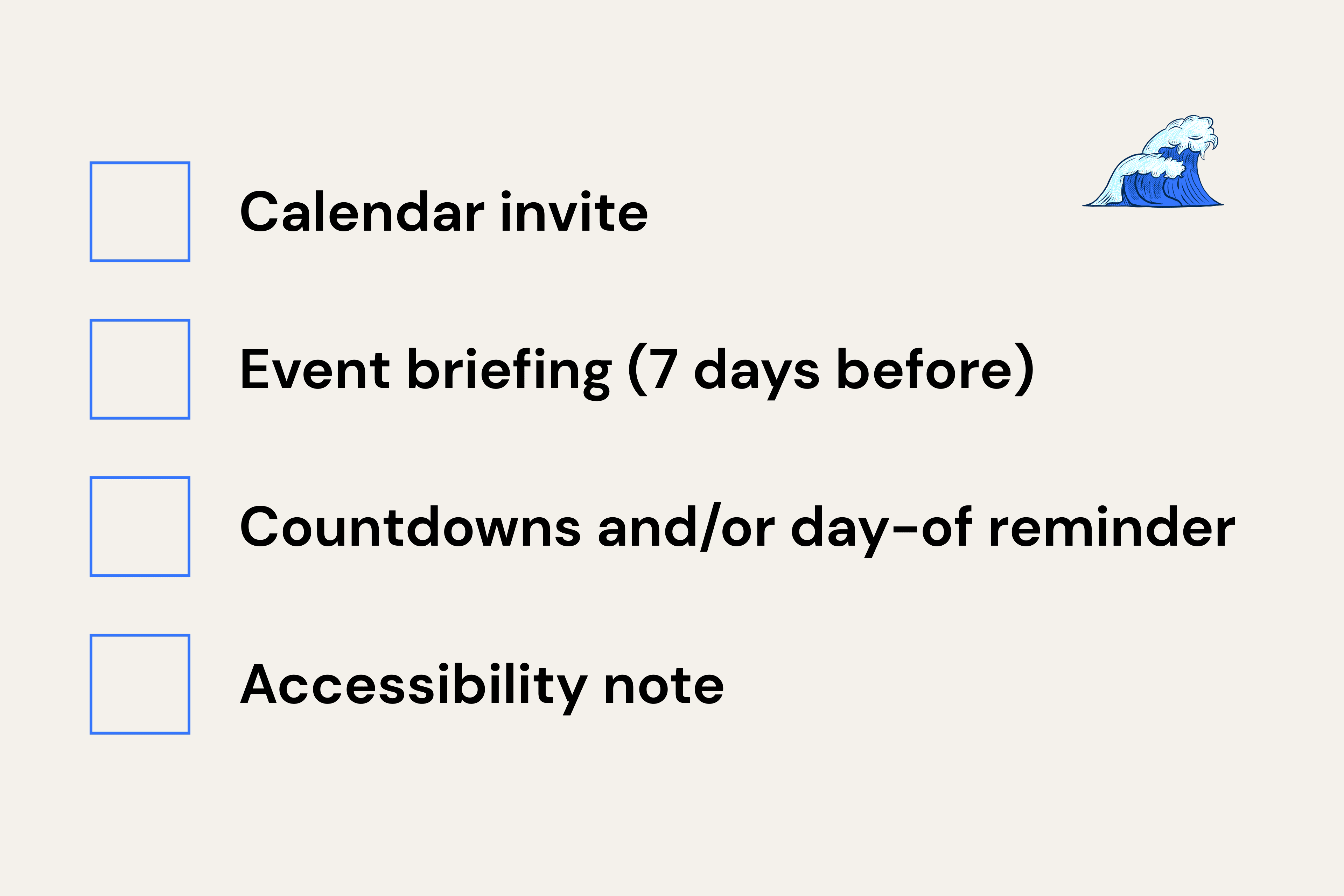
Calendar invite: Send the moment the date is confirmed. One-line description of what the event actually is.
Event briefing (7 days before): Detail what they need (device, headphones, supplies), what to expect (format, duration, participation level), and what they don't need (stress, prep work, a spotless background).
Countdowns and/or day-of reminder: Send reminders 2-3 days out and 1-2 hours before. Short. Friendly. Include the link and any necessary instructions.
Accessibility note: Captions if available, whether cameras are expected on or off, any dietary or physical considerations if a kit is involved.
🌊 Wavy Tip: Make it fun! A briefing that reads like a legal disclaimer won’t do you any good. Write it the way you'd text a friend about dinner plans! Wavy also automates all the steps above. From invites, briefings, to reminders, Wavy automates across calendars, emails, Slack, and Teams.
5. Decide on a platform#
Which platform is best for online team building activities?
Most companies already have a platform of choice in place. If yours is locked into Microsoft Teams or Google Meet, you're not switching to Zoom for one event, and that's fine.
But if you do have flexibility, here's the comparison:
Platform | Breakout rooms | Best for |
Zoom | Robust. You can pre-assign and rotate host controls | Team building. Most flexible for interactive events. |
Microsoft Teams | Available, less flexible | Large enterprises already on the Microsoft stack |
Google Meet | Limited (Workspace only) | Simple check-ins. Not great for structured team building. |
We recommend Zoom for facilitated events because of its breakout room controls, spotlighting, and the ability to hand host permissions off smoothly to a facilitator.
On that note, test everything the day before. Every single time. No exceptions. The "I assumed it would work" energy has ruined more virtual events than bad Wi-Fi ever could.
🌊 Wavy Tip: Always have a backup link ready. Tech gremlins are real and they love virtual events. When you run events on Wavy, we have a sound check before every event! You won’t catch us glitching.
6. Be engaging#
How do you make a virtual team building event engaging?
This is the one. Everything else on this list is in service of this tip.
What actually makes virtual events engaging? According to Wavy's event data:
Novelty. If people have done it before, the bar to impress is higher. Something new, something they haven't tried, intrigues! A virtual cocktail making activity before a company offsite hits different from your fourth round of trivia this quarter. There’s also Origami Making 101, Matcha and Pocky Tasting, and more on Wavy experiences.
Adding a physical component. Receiving something in the mail or getting a gift card and shopping list before an event creates excitement. It also gives the quieter folks something to do with their hands. This is the single highest-effort, highest-return move in virtual events.
Make it team-based. Team-based challenges multiply energy and create opportunity for true camaraderie. Especially if you’ve got a cross section of teams, extroverts, and introverts on teams!
Be interactive. No one wants to sit there watching someone share their screen for 45 minutes while their soul slowly leaves their body. Build in moments where people can react with an emoji, vote in a poll, drop an answer in chat, move a sticky note on a Miro board, so that they can be an active participant.
Adding real value to the participants. Host a workshop or a lunch and learn something your employees want to learn about or try. For example, learning how to use AI or having AI hackathons has been a common theme across companies in 2026.
Other than the type of event, you can also start participation in the chat before the event begins. Drop a prompt when people are joining: "What city are you in + one thing on your desk." Once they've participated once, they'll keep going. Silence is a habit. So is engagement.
During the event, use breakout rooms for groups over 15. Real conversations happen in groups of 4-6. Breakout rooms are the closest virtual equivalent to a shared table at company-wide dinner.
You can also layer in tools before, during, and after the event! Polls, whiteboards, reaction buttons, shared docs. These all add texture to the event. Making it more of an ongoing engagement theme than a one-off effort. But, be sure to use them purposefully. A poll for the sake of a poll isn’t engaging - it needs to lead to something!
Lastly, When you DIY, engagement depends entirely on whoever's running it. Their energy, their timing, their ability to read a room through a screen. Professional facilitators, on the other hand, bring format expertise and crowd management that's hard to replicate without a lot of reps.
🌊 Wavy Tip: Virtual event fatigue is real. Most participants start disengaging after 90 minutes (and if it is that long, be sure to provide breaks). Events with team-based interactive formats hold attention significantly longer than passive presentations or open-ended discussion.
7. Get a good host#
What actually makes someone a good virtual event host?
Not everyone who is willing to host should host. These are different things, and confusing them is how you end up with an awkward 75-minute Zoom that feels like a meeting wearing a party hat.
What makes a good host? Well, a good host…
Sets the energy immediately. Opens with warmth, not housekeeping. The first 90 seconds sets the social contract for the entire event.
Manages silence without panicking. Knows how to redirect a dead moment without making it weird. This is a skill. It takes reps to develop.
Moves the room, not just the agenda. Reads participant energy and adjusts pace. Doesn't just tick boxes on a run-of-show.
Hands off gracefully. If there's a facilitator, speaker, or breakout group, transitions are clean and confident.
If no one on your team naturally fits this description, you can hire a professional facilitator from a marketplace like Wavy’s.
8. Break the ice#
How do you prevent awkward silences?
Awkward silences on video calls feel three times longer than they actually are. Here’s how you can avoid them:
Start with a real icebreaker, not a fake one. "Let's go around and introduce ourselves" is not an icebreaker. That's just mild anxiety with a timer. Start with something concrete and low-stakes: "What's the most obscure skill on your resume?" generates actual laughs and real conversation.
Rotate breakout groups mid-session. Instead of keeping the same group for the entire event, rotate. New groups = new conversations = more people actually connecting. Especially effective for events over 60 minutes.
Design for the end, not just the start. Most events front-load all the icebreaker energy and then let the last 10 minutes fizzle into "okay, thanks everyone!" Plan a closing moment that leaves people on a high. A shared laugh, something they learned, a mini challenge with a winner… These are all different ways to do it!
You want people to feel that "that was fun," not "that ran over."
9. Decide on duration#
How long should online team building activities last?
Online team build activities tend to always be shorter than you planned.
Event type | Recommended duration |
Social / games / trivia | 45–60 minutes |
Activity-based (cooking, cocktails, crafts) | 60–90 minutes |
Workshop or learning session | 60–90 minutes |
Multi-segment event | 90 minutes max |
If it's designed for 45 minutes, end at 45 minutes. A tight, energetic 45-minute event leaves people wanting more. A 45-minute event stretched to 75 leaves people calculating whether they can fake a "hard stop."
There’s also the 90-minute rule that says that nothing should run longer than 90 minutes without a break built in. Video call fatigue happens and attention drops sharply past that mark regardless of how good the activity is.
🌊 Wavy Tip: Events that end on time report 40% higher satisfaction than events that run over. Respect people's time. It's the easiest thing you can do.
10. Collect feedback #
How do you actually learn from online team building activities?
You're not running a one-off event. You're ideally building a program over time that positively impacts your culture. Feedback is how you continue to make it better.
Build in a couple minutes at the end to collect verbal feedback. Then, before you close the call, share a link to a short form. Five questions, max. Here are some examples:
How would you rate today's event? (1–5)
What was your favorite part?
What would you change?
You can collect feedback with these tools:
Miro or Slido for live, in-event reactions and word clouds
Google Forms for async post-event surveys
Polly for simple emoji polls in Slack 30 minutes after works great for quick vibe checks
Wavy for automatic post-event feedback collection and insights, via forms or Slack
Once you have feedback, reference what you heard at the next event or in a team communication: "Last time you said breakout rooms felt rushed, so we've added 5 extra minutes per rotation this time." Make people feel heard. It makes them show up to the next one!
🌊Wavy Tip: Wavy collects post-event feedback and participation data are automatically. You get a report without chasing anyone. DIY means you're budgeting your own time for the follow-up.
Ready to plan your next online team building activity?#
You've got the framework. The only thing left is picking something your team will actually remember.
400+ facilitated virtual experiences across trivia, cooking, cocktail making, wellness, workshops, and more. Filter by group size, duration, and vibe. Book in minutes.
No more Zoom hangs that feel like meetings in disguise. Promise. 🙃